Full Game Catalogue
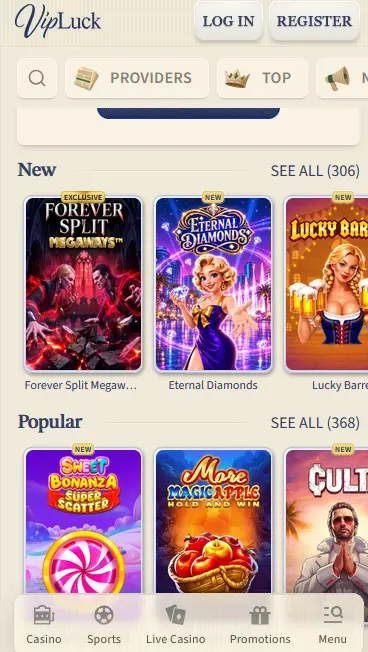
Every pokie, live dealer table, jackpot game and sports market on desktop is also on mobile, with a bottom bar for Casino, Sports, Live Casino, Promotions and Menu.
App at VipLuck: Play in Your Browser
Take the full VipLuck lobby on Android via direct APK download, or open it in Safari or Chrome on iPhone and iPad. 10,600+ games, live betting and the whole cashier in your pocket.
VipLuck in Your Pocket
Take the full VipLuck lobby on Android via direct APK download, or open it in Safari or Chrome on iPhone and iPad. 10,600+ games, live betting and the whole cashier in your pocket.
Get the App 18+ only. Gambling carries a risk of addiction. Bonus terms apply.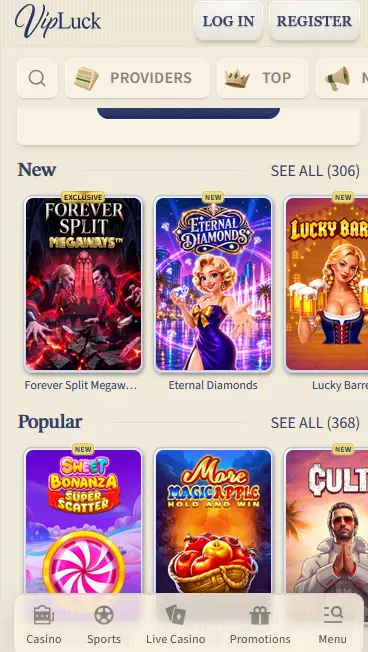
Mobile Security Practices
What You Should Do
What You Should Avoid
What the VipLuck App Delivers
Full Game Catalogue
Every pokie, live dealer table, jackpot game and sports market on desktop is also on mobile, with a bottom bar for Casino, Sports, Live Casino, Promotions and Menu.
Fast Sessions
Lobby shelves such as New and Popular load quickly, and live streams adjust quality to your connection, keeping Evolution Gaming and Pragmatic Play Live tables smooth on 4G or Wi-Fi.
Biometric Login
The Android APK supports fingerprint and face unlock, so you can enter your account without retyping your password each visit.
Mobile Experience Overview
Pros
Cons
How to Get Started on Mobile
Device Requirements
Android
iOS
Getting VipLuck onto your phone takes a few minutes on either platform, and the steps differ only in how the icon reaches your home screen.
Visit vipluckcasino24.com in your Android browser, find the app download link and tap it to save the APK file. Open Settings, then Security (or Apps and Notifications on some devices) and allow Install Unknown Apps for your browser. Open Downloads, tap the VipLuck APK and follow the prompts. The app appears in your app drawer when it finishes. Log in with your email or username and password, then switch on biometric login in security settings.
Open Safari on your iPhone or iPad and go to vipluckcasino24.com. Tap the Share icon (the box with an upward arrow), tap Add to Home Screen, name the shortcut VipLuck and confirm. The icon opens the site full screen without the browser bar, which feels close to an installed app.
The Add to Home Screen method also works on Android for players who prefer not to install the APK. Open vipluckcasino24.com in Chrome, tap the three-dot menu and choose Add to Home Screen, and the shortcut installs without the unknown sources setting.
The mobile lobby carries the complete library, with no category held back for desktop. The search bar and category tiles (Providers, Top, New, Popular) sit at the top of the screen, and filters work as they do on a monitor.
More than 10,000 pokies load on mobile, including Sweet Bonanza 2500 and Gates of Olympus Super Scatter from Pragmatic Play, Hacksaw Gaming’s Wanted Dead or a Wild (RTP 96.38%, bonus-buy available), Play’n GO’s Legacy of Dead and Big Time Gaming Megaways titles. Autoplay and turbo-spin work on touch screens.

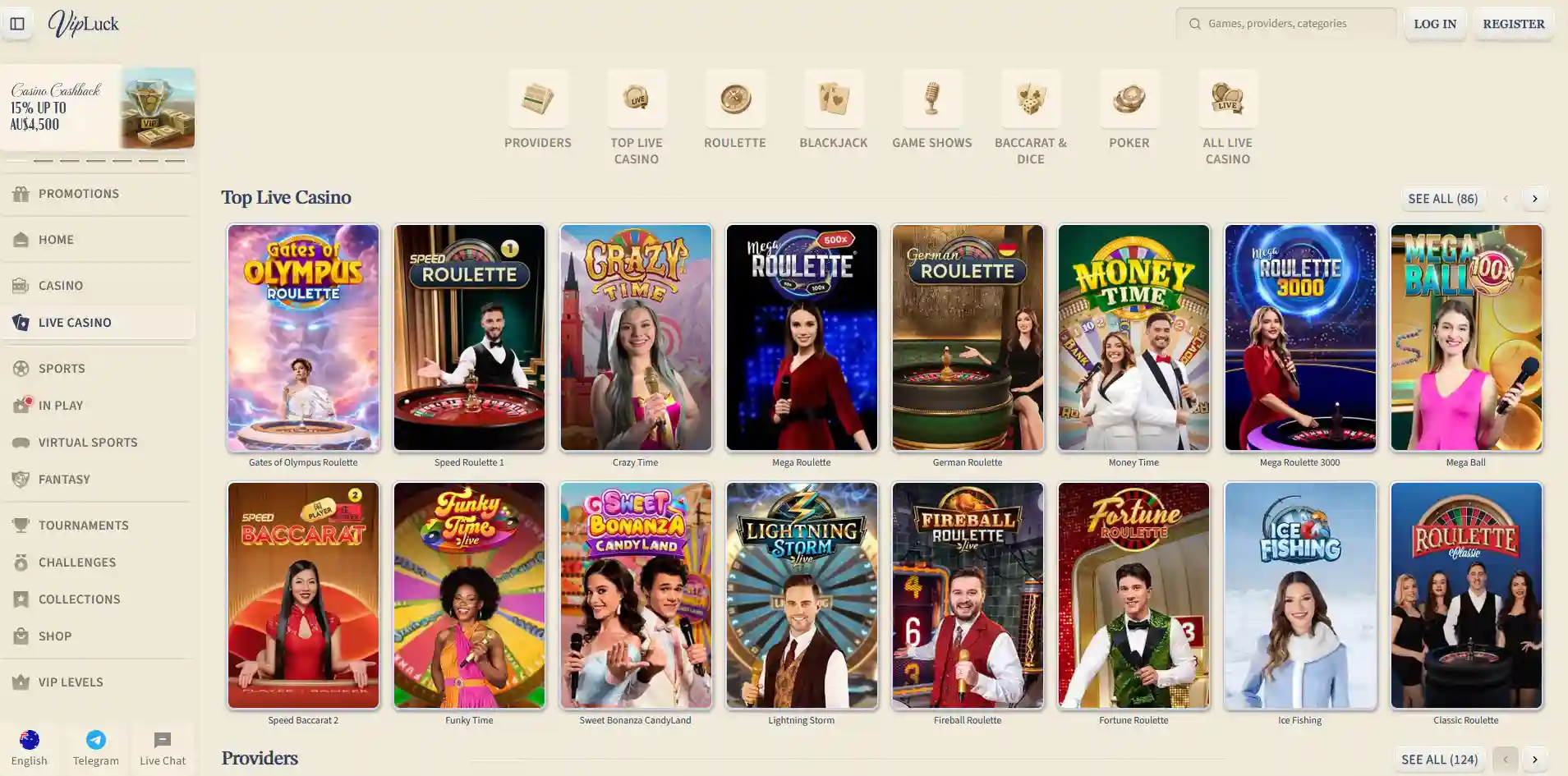
Live tables from Evolution Gaming, Pragmatic Play Live, Ezugi and Playtech stream in real time to the Android app and the iOS browser. Camera angles, side bets and chat carry across, and Crazy Time, Mega Roulette and Speed Baccarat stay smooth on a 4G connection.
The 370+ RNG table games, including blackjack, roulette, baccarat, poker and craps, load fully on mobile. Betting controls are sized for thumbs and scale from 4-inch phones to 12-inch tablets.
Progressive jackpot slots such as Mega Moolah (Microgaming) and Divine Fortune (NetEnt) are available on mobile, and each spin feeds the same shared prize pool as on desktop.
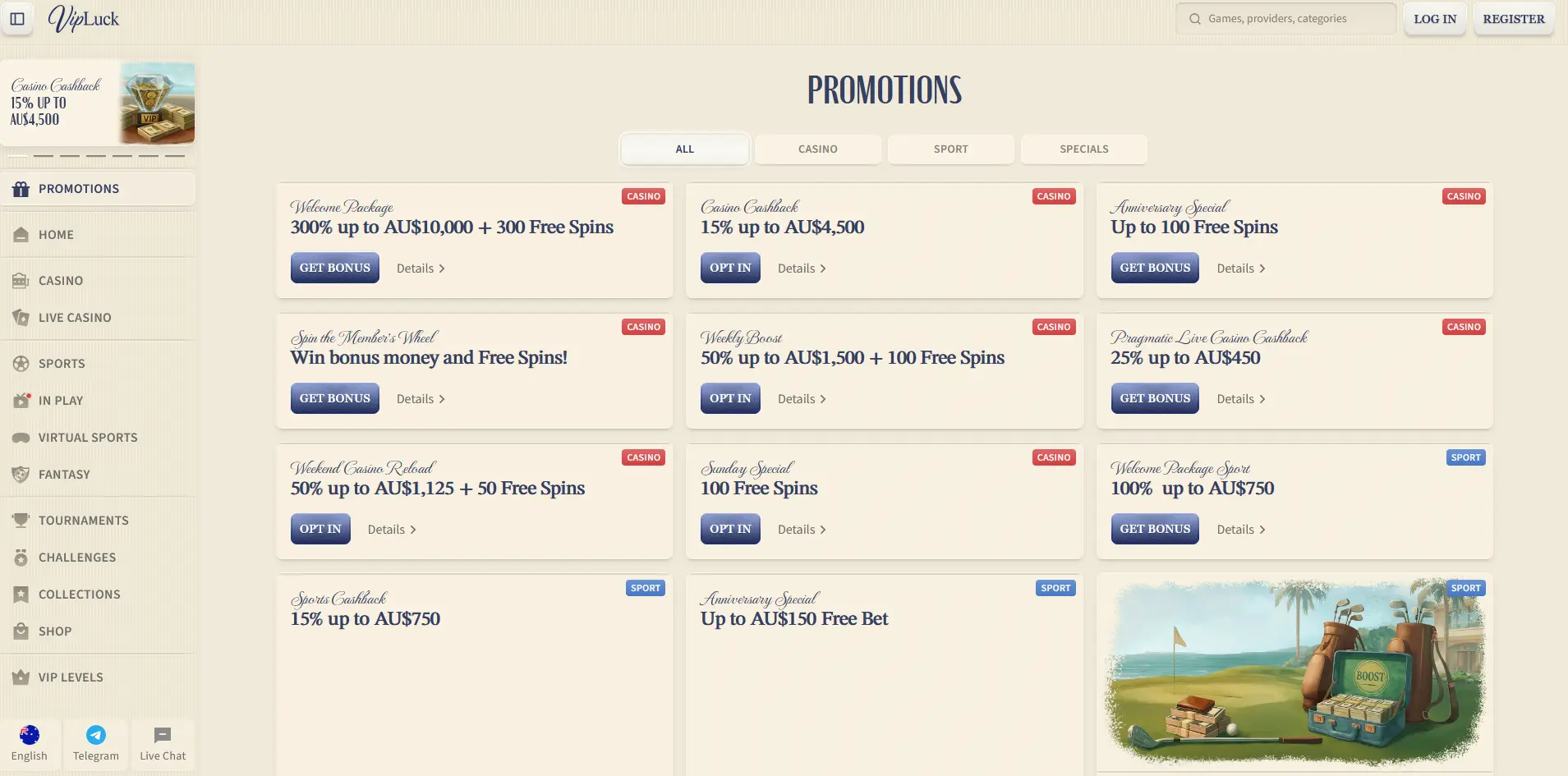
The 300% welcome package up to $10,000 plus 300 free spins can be claimed from mobile, and deposits made in the Android app or the iOS browser count as qualifying deposits. Use the Get Bonus button on the Promotions tab in the bottom bar. 18+ only. Wagering and validity are set out on the full VipLuck bonus terms page.
The app and the browser share one account, one wallet and one lobby, so the differences are about how you reach them and what the phone adds.
Beyond the games, the app gives you the sportsbook with In Play betting and a betslip, the Promotions tab with Opt In offers, VIP Levels, tournaments, challenges and live chat. Fingerprint and face unlock are supported on the Android APK.
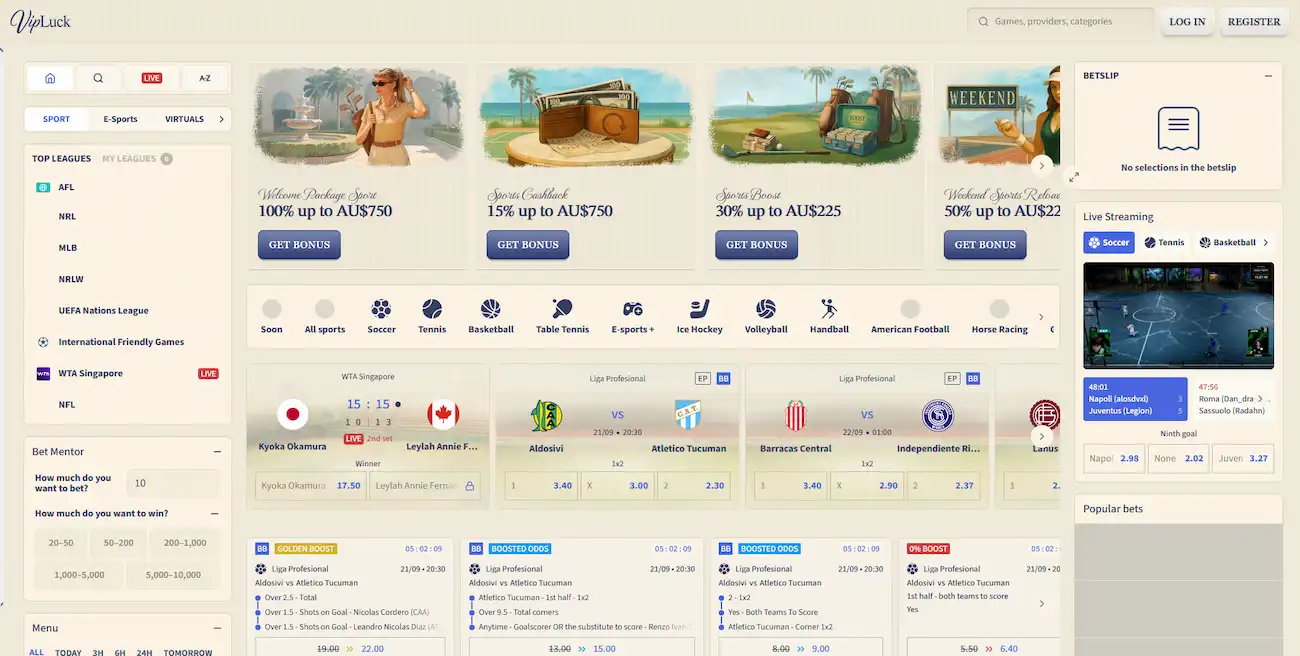
The Android app adds biometric login and a home screen icon that opens straight to the lobby. The browser version needs no download and works on every device, including iPhone and iPad, with the same games and cashier.
Mobile access splits into two routes: a direct Android APK and a browser version for iOS. Both give access to the full catalogue and cashier.
The APK comes straight from vipluckcasino24.com and is not distributed through Google Play, so installs from unknown sources must be allowed in device security settings. The menu path varies by Android version and manufacturer but is usually Settings, then Security, then Install Unknown Apps.
Apple’s App Store policies restrict real-money gambling apps in Australia, so there is no VipLuck app in the App Store. iPhone and iPad players use Safari or Chrome, and the Add to Home Screen shortcut behaves like a progressive web app.
| Platform | Access Method | Notes |
|---|---|---|
| Android | APK from vipluckcasino24.com | Allow unknown sources before install |
| iOS (iPhone/iPad) | Safari or Chrome browser | Add to Home Screen for a PWA shortcut |
| Desktop (Windows/Mac) | Any modern browser | No download required |
The full cashier works on the Android app and the iOS browser. Accepted methods are Visa, Mastercard, Skrill, Neteller, Paysafecard (deposit only), Bitcoin, Ethereum and bank transfer, and accounts are held in AUD.
| Method | Deposit | Withdrawal |
|---|---|---|
| Visa / Mastercard | Instant | 1-3 business days |
| Skrill / Neteller | Instant | 1-2 hours |
| Bitcoin / Ethereum | 15-30 min | 15-30 min |
| Paysafecard | Instant | Deposit only |
| Bank Transfer | 1-3 business days | 3-7 business days |
Mobile payments use the same 256-bit SSL encryption as the desktop site, and card numbers are handled by the payment processor rather than stored on the phone. KYC documents (an Australian driver’s licence, passport or Medicare card, plus a recent utility bill or bank statement as proof of address) can be uploaded from your camera roll in the verification section.
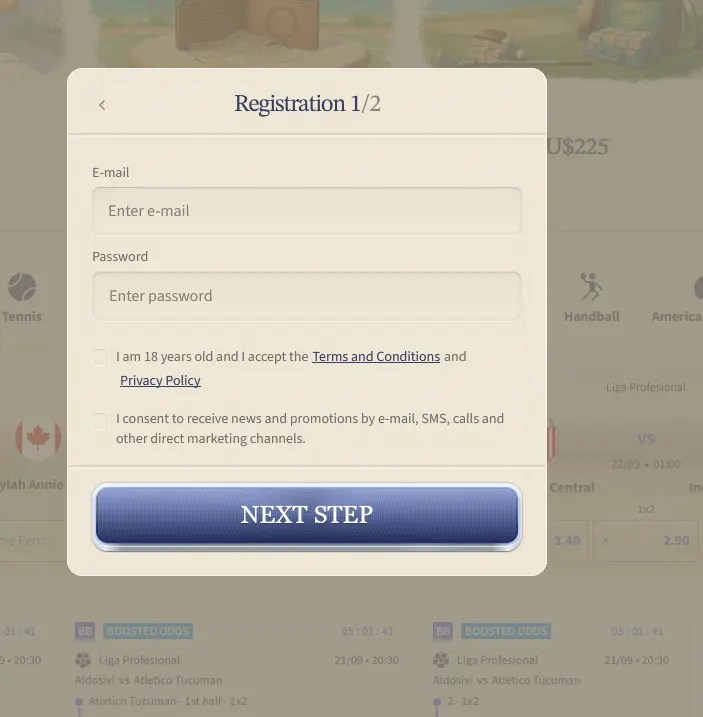
Tap Register in the top bar of the app or mobile site. Step 1 of 2 asks for your email and a password and a tick to confirm you are 18 or over and accept the Terms and Conditions and Privacy Policy, and step 2 completes the profile.
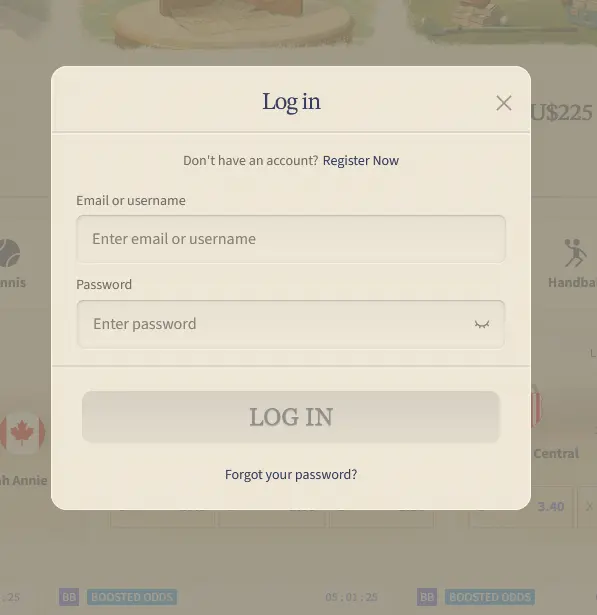
Tap Log In and enter your email or username and password. If 2FA is on, a one-time code is requested before the account opens, and on the Android APK biometrics can replace the password step once set up. For recovery options see how to sign in to VipLuck Casino.
The mobile experience uses the same security architecture as the desktop site.
All data between your device and vipluckcasino24.com, including game data, payment requests and account information, is encrypted with 256-bit SSL. The connection certificate can be checked in the browser address bar.
Two-factor authentication works on the Android app and the iOS browser. Once enabled in account settings, each login asks for a one-time code from your authenticator app or SMS, so a leaked password alone cannot open the account.
The Android APK uses the phone’s built-in fingerprint and face recognition for routine logins after first setup. Biometric data stays with the Android operating system and is never sent to VipLuck servers.
Live chat and Telegram sit in the sidebar and Menu of the mobile lobby, and email support at [email protected] handles document submissions and complex queries. All channels are staffed 24 hours a day, including Australian nights and weekends (AEST/AEDT).
Deposit limits, session time alerts and self-exclusion are in the account settings on both mobile routes, and support can set or tighten them on request. 18+ only. Gamble responsibly.
App Questions from Australian Players
VipLuck Casino does not have an App Store listing for iOS. iPhone and iPad players use Safari or Chrome at vipluckcasino24.com, where all games and payment features are available in the browser.
The APK on vipluckcasino24.com is the official client from 130 Group N.V., the operator holding Curacao licence OGL/2024/129/0131. Download only from that address, because files from third-party sources are not verified.
Yes. The sportsbook, with pre-match and In Play betting on AFL, NRL, soccer, tennis and esports, works on both the Android APK and the iOS mobile browser and shares the casino wallet.
Play on Mobile Today
Grab 300% up to $10,000 and 300 free spins.
Join Now 18+ only. Gambling carries a risk of addiction. Bonus terms apply.